What is click to call: Definition for contractors
What is click to call? It's a clickable phone number or button on your website that automatically dials your business when a visitor taps it on their phone. No typing. No copying. One tap, straight to your voicemail or answering service.
Updated August 2026 · By JR Grow
What is click to call, exactly
Click to call is a phone button or linked number on your website that initiates a call to your business when someone taps it on their mobile device. The visitor's phone recognizes the number, opens the dialer, and connects them directly. It removes friction. No transcription errors, no delay, no fumbling.
On desktop, click to call usually prompts Skype or another VoIP app if installed. On mobile, it's built into the OS. Works on iOS and Android.
Why click to call matters for contractors
You're invisible if nobody can reach you fast. 67% of callers won't leave a voicemail, they just call the next guy. Click to call collapses the gap between "I want a roofer" and "I'm calling a roofer" to one second.
On mobile, which is where 88% of local searches happen, a click to call button is the difference between getting the call and losing it to a competitor with a faster funnel. It's not optional. Your website exists to move people from "searching" to "dialing."
You're already paying for traffic to your site. Click to call makes sure that traffic turns into phone calls, not abandoned browsers.
Simple example: How click to call works
A homeowner in Denver searches "emergency plumber near me" on their phone at 8 PM. Your website ranks in the top 3. They land on your homepage and see a big blue button that says "Call now: (303) 555-0147." They tap it. Their phone opens the dialer and dials your number instantly. You answer or they hit your automated text-back system. Job inquiry captured.
Without click to call, that visitor has to manually write down your number or copy-paste it. Most don't. They bounce.
What makes click to call different from a regular phone number
A plain phone number on your website is just text. The visitor has to select it, copy it, switch to their dialer, paste it, and hit call. Four steps. Most people give up.
Click to call is one tap. It's a hyperlink that triggers the dial action automatically. Your conversion rate jumps because the friction is gone.
When click to call is NOT enough
Click to call is the first domino. It only works if people are finding your site in the first place. If you're not ranking in the top 3 for "plumber near me" or "roofer [your city]," click to call won't save you. You need the visibility before the button matters.
Also, if your answering system is weak or you're not capturing missed calls, you'll lose 67% of the calls that do come through. Click to call solves the dialing problem. You need to solve the answering problem separately, with missed-call text-back or a solid voicemail protocol.
JR Grow handles all of this as one system, website plus text-back plus local SEO rank, but if you're a do-it-yourself contractor on a shoestring, start with the basics: make sure your site has click to call, your Google Business Profile is complete, and you're answering the phone within 3 rings.
Click to call on your contractor website today
Every contractor website should have click to call above the fold on mobile. No exceptions. It's free to set up in most platforms and instantly improves your odds of being called instead of skipped.
If your site doesn't have it yet, add it now. If your site is slow, outdated, or not converting phone calls into jobs, that's a bigger problem that click to call alone can't fix.
Key terms
Click to call: A clickable phone button or linked number on a website that automatically initiates a phone call when a visitor taps it on a mobile device.
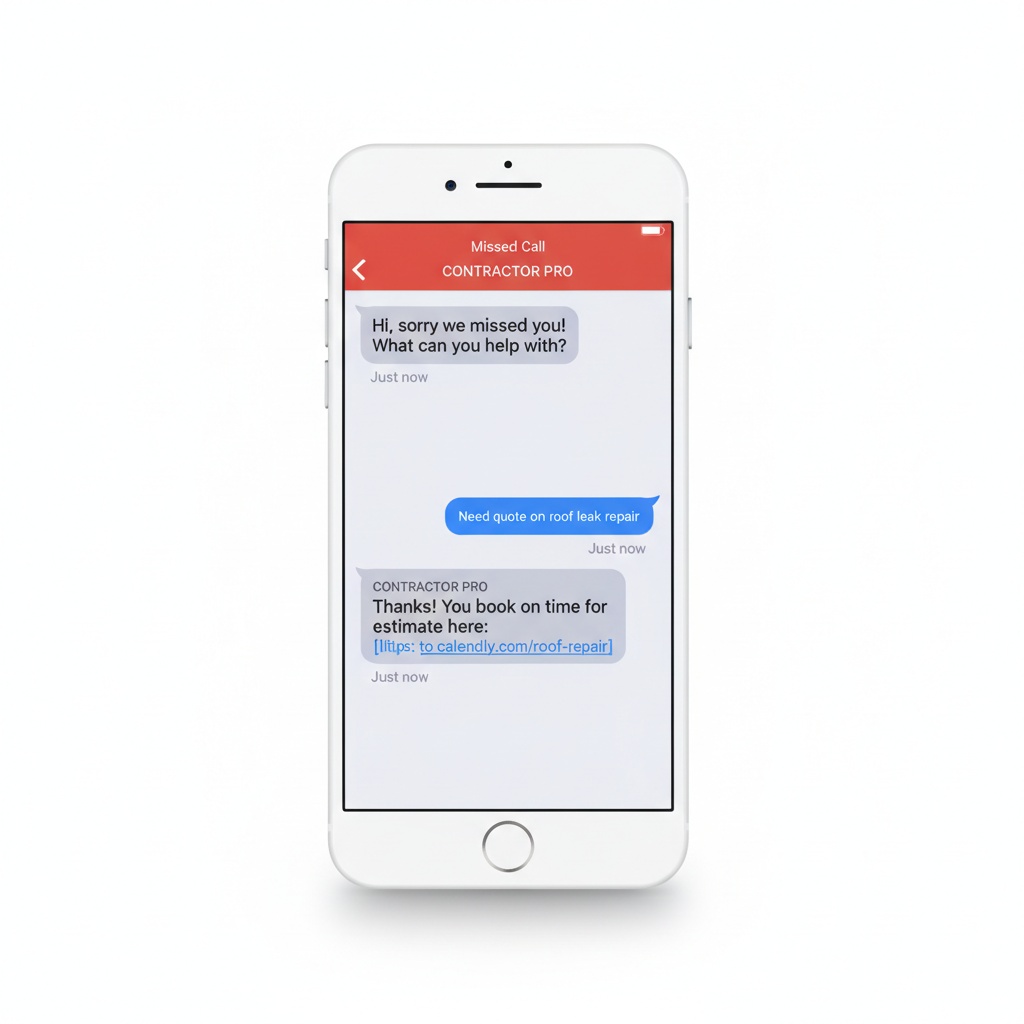
Missed-call text-back: An automated system that sends an SMS to a caller within 30 seconds if they reach your voicemail, allowing them to get information or reschedule without waiting.
Google Business Profile: A free Google listing that displays your business name, phone, address, hours, and reviews when someone searches for your trade locally; ranking depends on Proximity, Relevance, and Prominence.
Straight from Google, worth reading in full: Tips to improve your local ranking on Google and Local Business structured data.
Want your phone ringing again?
JR Grow builds your website, ranks you on Google, recovers missed calls, and fills your Google profile with 5-star reviews. Done for you. One flat price. Cancel anytime. Live in 7-10 days.
Book a Free Strategy Call →Frequently asked questions
What is click to call and do I need it?
Click to call is a phone button on your website that instantly dials your number when someone taps it on their mobile device. Yes, you need it. 88% of local searches end in the top 3 results, and 67% of callers won't leave a voicemail. If you're not making it one tap for them to reach you, you're losing jobs to competitors who are.
How is click to call different from just listing my phone number?
A plain phone number is text that people have to manually dial. Click to call is a link that opens the dialer automatically with one tap. It removes friction and dramatically increases the odds that a mobile visitor actually calls you instead of moving to the next guy.
Will click to call increase my leads?
Click to call doesn't generate leads by itself, but it converts more of the people who find you into phone calls. If you're already ranking in the top 3 for local searches, click to call makes your site a better dialing experience. Combined with missed-call text-back, you can recover up to 80% of the calls you miss.
Does click to call work on all phones?
Yes. On mobile (iOS and Android), it's built into the OS and opens the native dialer. On desktop, it usually opens Skype or another VoIP app if installed, but desktop isn't where you'll get most of your calls anyway. Focus on mobile.
How do I add click to call to my website?
Most website builders and CMS platforms have click to call built in. Look for a "phone" field or button element and format it as a tel: link (tel:+1XXXXXXXXXX). If your site is old or custom, ask your developer to add it. It's a 5-minute job. If you want it done right with text-back and local SEO together, JR Grow builds it into your site and has it live in 7-10 days.