Google Business Profile optimization checklist for contractors
Google Business Profile optimization is how you get found first when someone in your service area searches for your trade on mobile. This checklist walks you through every step, no fluff.
Updated August 2026 · By JR Grow
What Google Business Profile optimization actually does for contractors
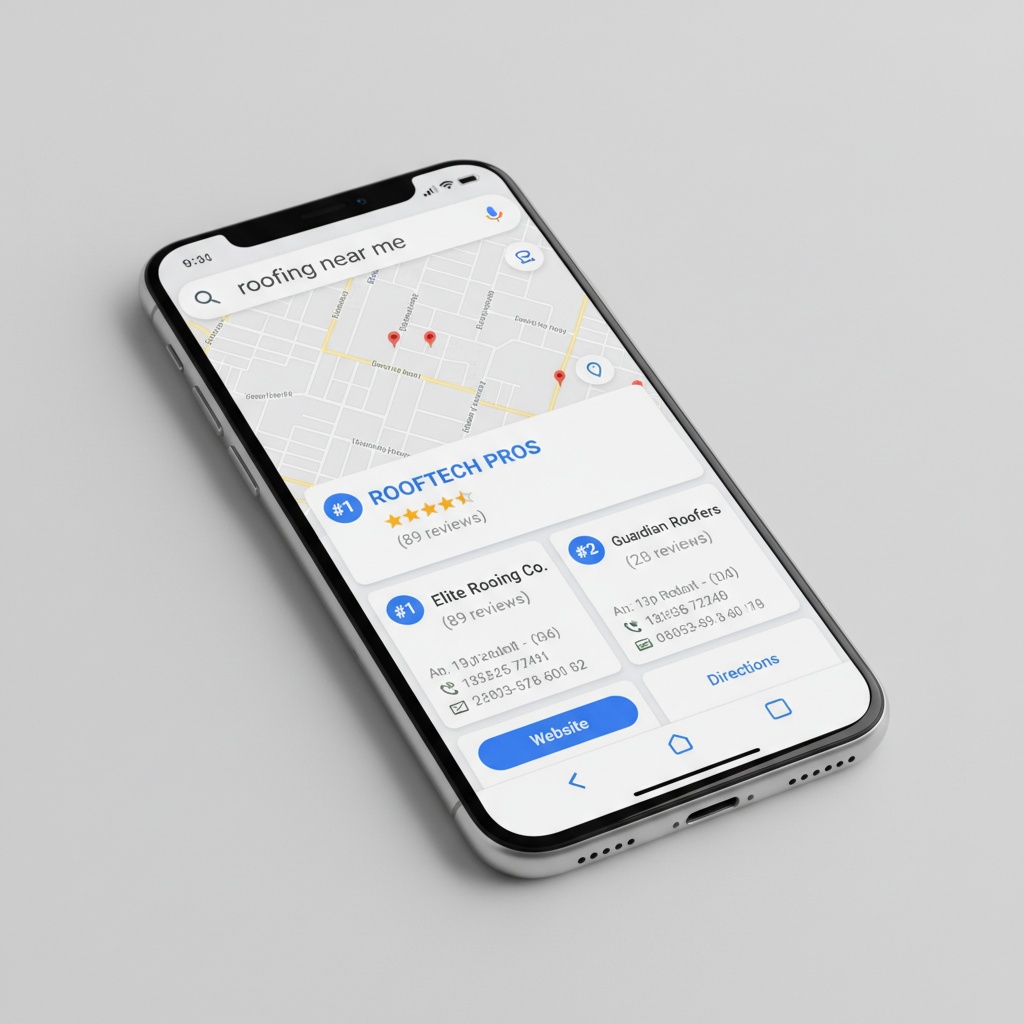
Google Business Profile optimization is the fastest way to own the local 3-pack, the three business listings that show up when someone searches 'roofer near me' or 'emergency plumber.' 88% of local mobile searches end in the top 3 results. If you're not there, you're invisible.
Here's the math: 46% of all Google searches are local. That means half the searches in your area are people ready to hire. Google ranks local businesses on three signals: Proximity (how close you are to the searcher), Relevance (how well your listing matches what they're searching for), and Prominence (how many reviews you have and how recent they are). Google Business Profile optimization controls Relevance and Prominence directly. You can't fake Proximity, but you can own the other two.
Most contractors never touch their GBP listing after they claim it. That's why they stay buried. A optimized Google Business Profile listing typically generates 3.5x more calls after 90 days. That's not a guess, that's what contractors see when they actually do it.
The Google Business Profile optimization checklist: 12 non-negotiable steps
These aren't nice-to-haves. These are the steps that move the needle on the algorithm.
- Claim and verify your listing (if you haven't already). Go to google.com/business and search your business name. If it exists, claim it. If not, create it.
- Fill in your business name exactly as it appears on your license and storefront. No special characters or keywords stuffed in.
- Add your full service address. If you're service-area only, Google lets you hide it from public view but still give it to the algorithm.
- Confirm your phone number. This is how 67% of people contact you. Get it right.
- Write your business description in 750 characters max. Include your service area and what you do. 'We install roofs, repair roofs, and replace gutters in Denver, Aurora, and surrounding areas.' Clear. Not spammy.
- Add 10-15 high-quality photos. Roofing photos of actual work. Plumbing photos of job sites. Google's algorithm notices. Blurry or stock photos hurt you.
- List every service you offer under 'Services.' Roofing. Gutter repair. Roof inspection. One service = one line item.
- Set your service radius accurately. Don't claim a 50-mile radius if you only serve 15 miles. Google notices the gap between your radius and your actual jobs.
- Add business hours and make sure they're correct. Closed on Sundays? Say it.
- Link your website. Make sure it loads in under 2 seconds. A 6-8 second page kills local ranking.
- Ask customers for 5-star Google reviews every single job. An automated review engine adds roughly 47 new reviews a year and keeps you relevant to the algorithm. Missing reviews = missing prominence.
- Respond to every review, good and bad. A response takes 30 seconds and tells the algorithm your business is active.
Google Business Profile optimization and your service area
Google ranks differently on every street corner. It's a geo-grid, not one number. If you service Denver and Boulder, your ranking in Denver is different than in Boulder, even though it's the same GBP listing. This matters because 46% of searches are local, and most searches include location.
When you optimize your Google Business Profile for service area, list every city or neighborhood you actually work in. Not every town within 50 miles. Only places where you've done jobs in the last year. Google's algorithm cross-references your business address, your service radius, and your reviews from customers in those areas. If your address is in Denver but you're claiming Boulder as your service area and you have zero reviews from Boulder, Google will bury you there.
Best practice: Set your service radius to 15-25 miles from your office, depending on your trade and traffic patterns. Electricians and plumbers usually stay tighter. Roofers and landscapers can go wider. Then manually add specific city names in your business description. 'We serve Denver, Aurora, Littleton, and surrounding areas.' That's your optimization lever for Relevance.
Photos, services, and attributes in your optimize listing
Your Google Business Profile is not a resume. It's a sales page in Google's own app. Optimize it like one.
Photos rank first. Upload 15-20. Make them recent. Make them real. A before-and-after roof replacement speaks louder than a company logo. Google weights recent photos higher, so add one every month if you can. A photo from 6 months ago tells Google you're still alive. A photo from 6 years ago tells Google you're dead.
Services are next. Click 'Add or edit services' and list every single thing you do. Not categories. Specific services. 'Roof repair,' 'Roof replacement,' 'Gutter installation,' 'Gutter repair,' 'Roof inspection.' Each one is a relevance signal. A customer searches 'gutter repair near me,' and if you have that exact phrase as a service in your GBP listing, you rank higher.
Attributes are the checkboxes. 'Insured,' 'Licensed,' 'Veteran-owned,' 'Emergency service available,' 'Accepts credit cards.' Fill every one that applies. They're tiny ranking signals that add up.
Reviews and Google Business Profile optimization
Google's algorithm sees reviews as proof of Prominence. One review doesn't do much. Forty-seven reviews a year does. That's why an automated review engine is the only way to scale your Google Business Profile optimization without burning out your team.
Here's the real story: Missed-call text-back recovers up to 80% of the calls you would have lost. But the customer who called and left a voicemail is also the customer most likely to leave a review if you ask. An automated review engine sends a text or email to every customer who books a job, asks them to review you on Google in one click, and follows up if they don't. The system handles it. You get 3-5 reviews a month if you're sending 50+ invoices a month. That's how you stay prominent.
Respond to every review. 'Thanks, Mark. Glad we could help with that water heater replacement. Call us anytime.' 30 seconds. It tells Google your business is live and responsive, and it tells the next customer you care. Reviews from the last 30 days matter more than reviews from 2 years ago, so consistent reviews keep you ranked higher than a contractor who got 20 reviews in 2023 and zero in 2024.
How to avoid the biggest Google Business Profile optimization mistakes
Keyword stuffing your name. Don't. Your GBP name should be your legal business name. 'John's Roofing' not 'John's Roofing, Siding, Gutters, Roof Repair, Roof Replacement, Emergency Roofing.' Google penalizes this. It looks spammy and it hurts your ranking.
Posting every single day. Google rewards consistency, not noise. Post once or twice a week with an actual update, not 'Happy Monday.' Post a job photo. Post a seasonal tip. Post that you're hiring. One good post beats seven bad ones.
Fake reviews. Don't. Google has bots and humans who catch this. Fake reviews get deleted, your GBP gets flagged, and you lose trust with the algorithm. The only way to rank is real reviews from real customers.
Ignoring your website. Google Business Profile optimization and a fast website are a pair. Your GBP drives the call or the click. If someone clicks to your website and it takes 8 seconds to load, they're gone. A 2-second page keeps them there and improves your ranking.
Setting the wrong service area. If you service a 10-mile radius and tell Google you service 50 miles, the algorithm notices. Your reviews come from the 10-mile area. Your jobs come from the 10-mile area. The geo-grid falls apart. Be honest about your service area.
Google My Business and Google Business Profile are the same thing
You might have heard 'Google My Business' from an old agency or forum post. Google rebranded it to 'Google Business Profile' in 2021. Same thing. Same URL. Same algorithm. If someone says 'optimize your Google My Business,' they mean optimize your Google Business Profile. The steps are identical.
Go to google.com/business. Log in with your Google account. Search your business name. Claim it or create it. The interface you see is your Google Business Profile. Fill it out top to bottom. That's your Google My Business now.
When Google Business Profile optimization alone is not enough
Google Business Profile optimization works best in three scenarios: You have 50+ reviews already, you're in a less competitive market (smaller town), or you're willing to play the long game for 3-6 months.
Here's when it stalls: You're in a major metro with 20+ competitors all doing the same thing. You have zero or five reviews and you're competing against contractors with 200+ reviews. Your website is ancient and loads in 8 seconds. You're not consistent with reviews, so you have 3 reviews from 2022 and nothing since. Your phone number has changed and customers can't reach you.
Google Business Profile optimization is one engine. The other three are missed-call text-back (67% of callers won't leave a voicemail, so missed-call SMS recovers those), a fast custom website built to book jobs not impress designers, and an automated 5-star review system that keeps you prominent month after month. Done-for-you systems like JR Grow install all four on one dashboard and get contractors live in 7-10 days. That's the difference between owning the local 3-pack and chasing it forever.
If you're willing to do it yourself, start with the checklist above. Set a calendar reminder for every 2 weeks to add a photo, post an update, and ask for a review. If you're not seeing 3-5 calls a month from local search after 90 days, your market is either oversaturated or your review velocity is too slow. That's when you bring in help.
Your Google Business Profile optimization 90-day target
After 90 days of consistent work on your Google Business Profile optimization, you should see these numbers: 15-20 new photos, 25-35 new reviews (if you ask every customer), 10+ response-to-reviews interactions from you, and a jump in call volume from local search. The typical contractor sees 3.5x more calls after 90 days. Not 3.5x more leads. Calls. People dialing your number ready to book.
Track it. Screenshot your GBP ranking before you start. Use a free tool like Local Falcon or BrightLocal to see where you rank for your top 3 service keywords in your main service area. After 30 days, take another screenshot. After 90 days, compare. If you're moving up the 3-pack, you're doing it right. If you're flat or moving down, your review velocity is too slow or your website is too slow or you're in a market where your competitors are all doing this too.
The math on ROI: Most trades see 3-5 new jobs a month from better local ranking. One roofing job is $3,000 to $8,000. One plumbing job is $1,500 to $3,000. One electrical job is $2,000 to $5,000. If you get one extra job from Google Business Profile optimization, you've paid for a year of effort. That's a 12-20x ROI in a typical market, spread over 90 days and then compounded every month after.
Key terms
GBP Checklist: A step-by-step list of tasks required to fully optimize your Google Business Profile listing, including photos, services, reviews, and attributes that improve your local ranking.
Google My Business: The former name for Google Business Profile, rebranded in 2021. It's the platform contractors use to claim, manage, and optimize their local business listing on Google.
Optimize listing: The act of filling out every field in your Google Business Profile with accurate, keyword-rich information to improve Relevance and Prominence in local search rankings.
Local 3-pack: The three business listings that appear at the top of Google search results when someone searches for a service in their area, like 'plumber near me.' 88% of local searches end in the top 3.
Geo-grid: Google's method of ranking businesses differently based on the searcher's exact location, so your ranking for 'roofer' in Denver is different than in Boulder, even though it's the same GBP listing.
Straight from Google, worth reading in full: Tips to improve your local ranking on Google and Guidelines for representing your business on Google.
Want your phone ringing again?
JR Grow builds your website, ranks you on Google, recovers missed calls, and fills your Google profile with 5-star reviews. Done for you. One flat price. Cancel anytime. Live in 7-10 days.
Book a Free Strategy Call →Frequently asked questions
How long does Google Business Profile optimization take to show results?
Most contractors see call volume increase within 30-45 days if they're consistent with photos, reviews, and posts. The bigger jump comes at 90 days when you have 25+ new reviews and Google recognizes you as an active, prominent business. Patience matters. You're competing on Proximity, Relevance, and Prominence, and Prominence takes time.
Do I need a website if I optimize my Google Business Profile?
Yes. Your GBP drives the click or the call. If someone clicks to your website from your GBP listing and it's slow, broken, or doesn't make it easy to book, you lose the job. A fast mobile-first website that converts visitors into booked jobs is the second engine. GBP is the draw. Your website is the close.
Can I rank in Google Business Profile without reviews?
Not in a competitive market. You'll be visible, but you'll rank below contractors with 50+ reviews. Reviews are Prominence. Without them, Google sees no proof you're trustworthy or active. One strategy: Ask your last 10 customers to review you on Google. That gives you a base. Then run the automated review engine going forward.
What if my area has too many competitors?
Proximity matters less when everyone is in the same city. You win on Relevance and Prominence. Optimize your service list to match exactly what people search for. Build reviews faster than your competitors. Post consistently. If your market is saturated and you're not seeing movement after 90 days, you need help with missed-call text-back and a review engine to close the gap.
How often should I update my Google Business Profile?
Add a photo every week or two. Post once or twice a week with real updates, not filler. Ask every customer for a review (the system should do this). Respond to every review within 24 hours. This is maintenance, not busy work. It tells Google you're alive and tells customers you care. Contractors who do this consistently see 3.5x more calls.